> For the complete documentation index, see [llms.txt](https://mamawhocode.gitbook.io/devops/llms.txt). Markdown versions of documentation pages are available by appending `.md` to page URLs; this page is available as [Markdown](https://mamawhocode.gitbook.io/devops/devops-tools/docker.md).
# Docker
## Docker 101
### What is container?
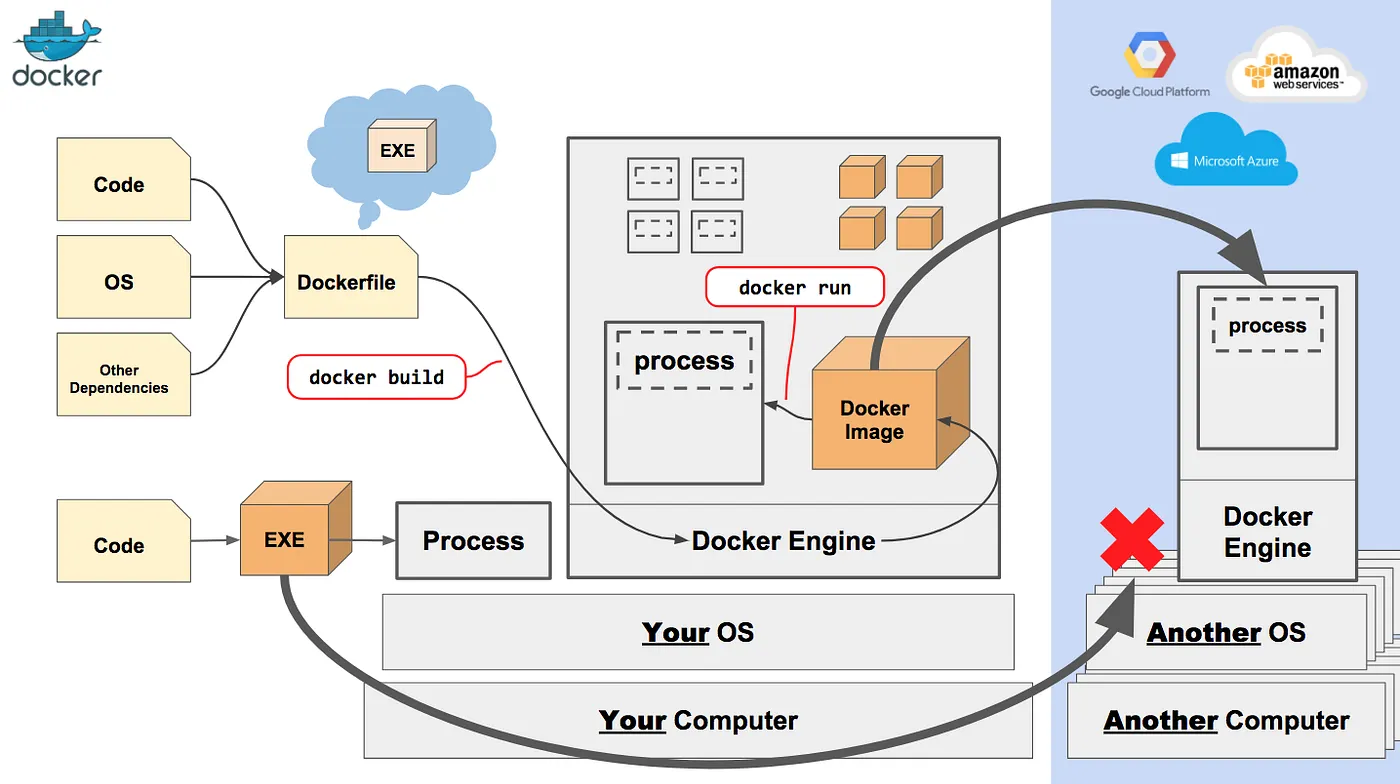
A container is another process on your machine that isolated from all other processes on the host.
### Why Docker?
### What is Docker?
### Docker architecture
Docker use client-server architecture.
* **Docker client:** the `CLI tool` used to interact with Docker deamon through API, to manage images, containers, networks and other Docker components.
* **Docker deamon**: background process that manages Docker containers, images, networks, and volumes. It is continuously listening for API requests from Docker Client.
* **Docker registry**: repositories where Docker images are stored and shared. Docker Hub is a public registry maintained by Docker.
* **Docker image**: packages that contain everything needed to run an application (app code, libraries, and dependencies)
* **Docker container**: instance of Docker images that are created and run on a host system.
* Each container *separated* from other containers and the host. But they can connect with other containers and outside world through network interface.
* **Docker network**: virtual networks that connect Docker containers to each others & outside the world.
### Docker CLI
### Docker Images
### Docker Networking
### Docker Registry
## SWARM
## vs. Kubernetes
## Best practices
## Resources
{% embed url="" %}
A simple, interactive and fun playground to learn Docker
{% endembed %}